Aphasia Training App (Basic)
About the App
User-friendly and step-by-step training of modified evidence-based approaches.
Price
FREE for Standard Version;
HK$498/year for Premium Version
Target Audience
Patients of Mild to Moderate Aphasia
Target Users
Patients, Caregivers, Speech therapists, Healthcare workers
Includes Three Modified Evidence-Based Approaches:

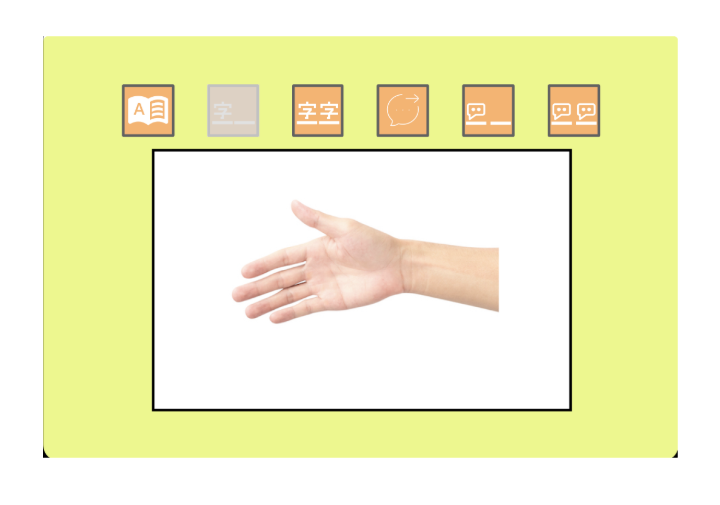
Hierarchical Cueing Naming

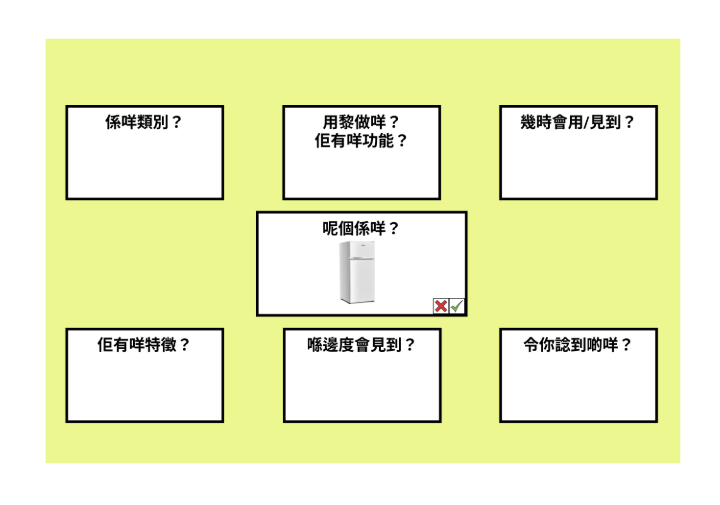
Semantic Feature Analysis

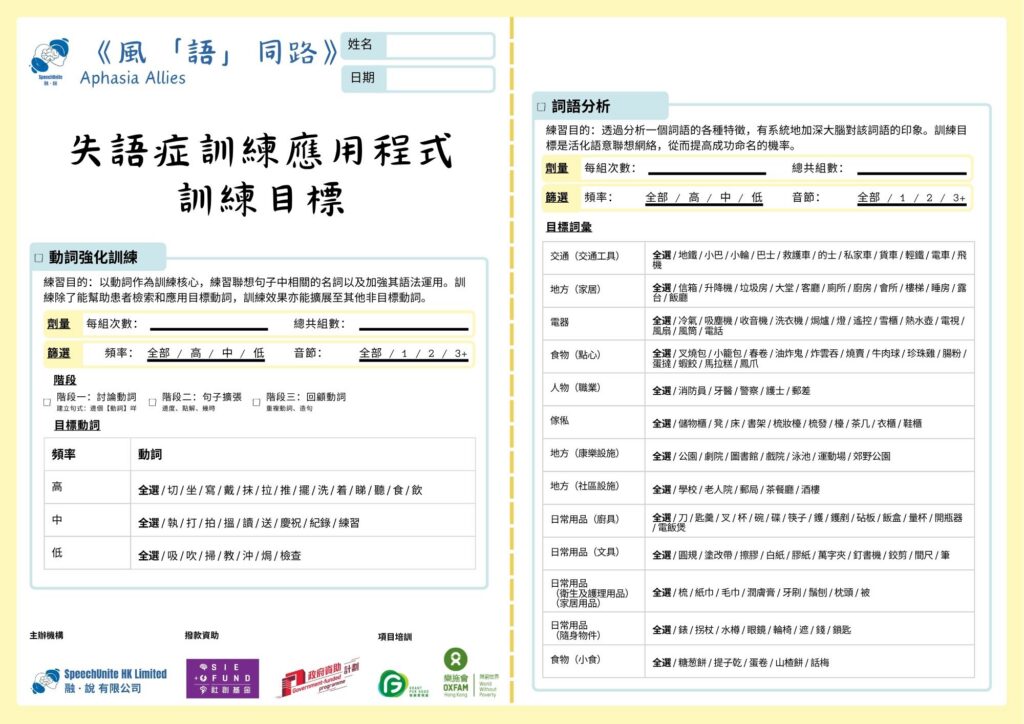
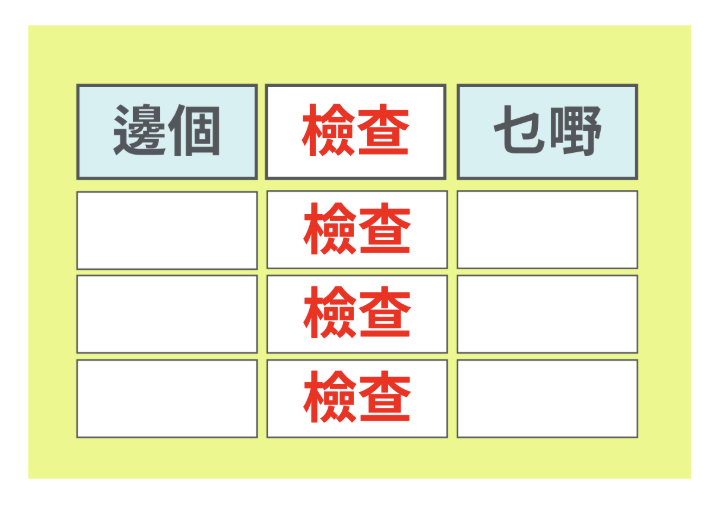
Verb Network Strengthening Treatment
- Standard Version: 48 Vocabulary, 4 Categories;
- Premium Version: 130 Vocabulary, 14 Categories
Standard Version: 48 Vocabulary, 4 Categories
Premium Version: 120 Vocabulary, 13 Categories
Standard Version: 10 Verbs
Premium Version: 30 Verbs

Patient Discount

Student Discount

Company Discount
Eligibility:
- Holder of Comprehensive Social Security Assistance (CSSA) Scheme
- Holder of Disability Allowance Holder of Old Age Living Allowance (OALA)
- Resident of public housing
Eligibility:
- Student of speech and language pathology in any universities
Eligibility:
- Non-governmental organisations (NGOs)
- Speech therapy clinics
- Universities
- Healthcare organisations targeting elderly
Voice Over – How to Enable Text-to-Speech Function on Android Devices
If you are an Android user, and the voice overs in the tablet are not working, you may try the following steps :
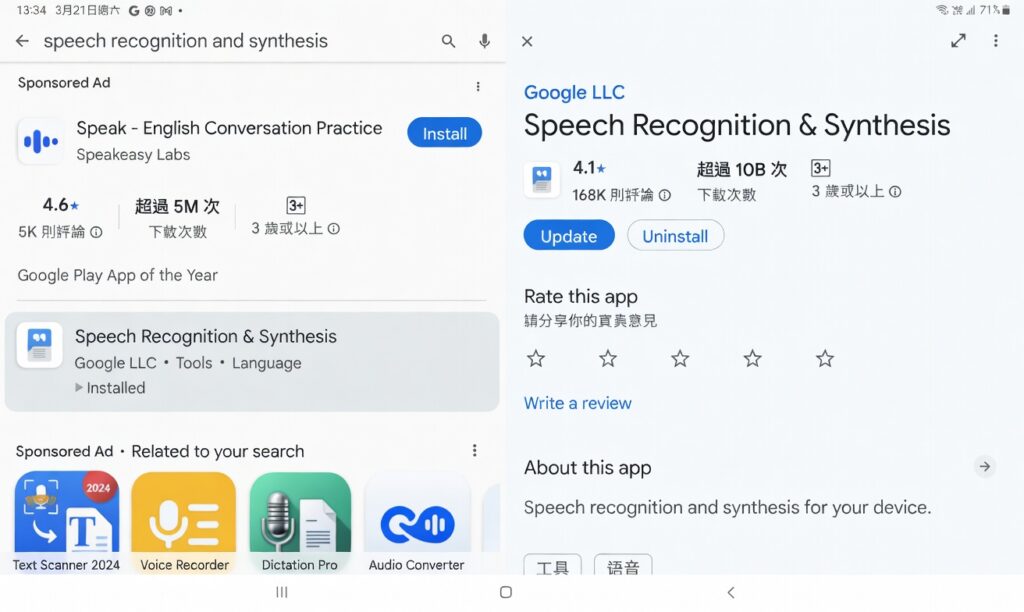
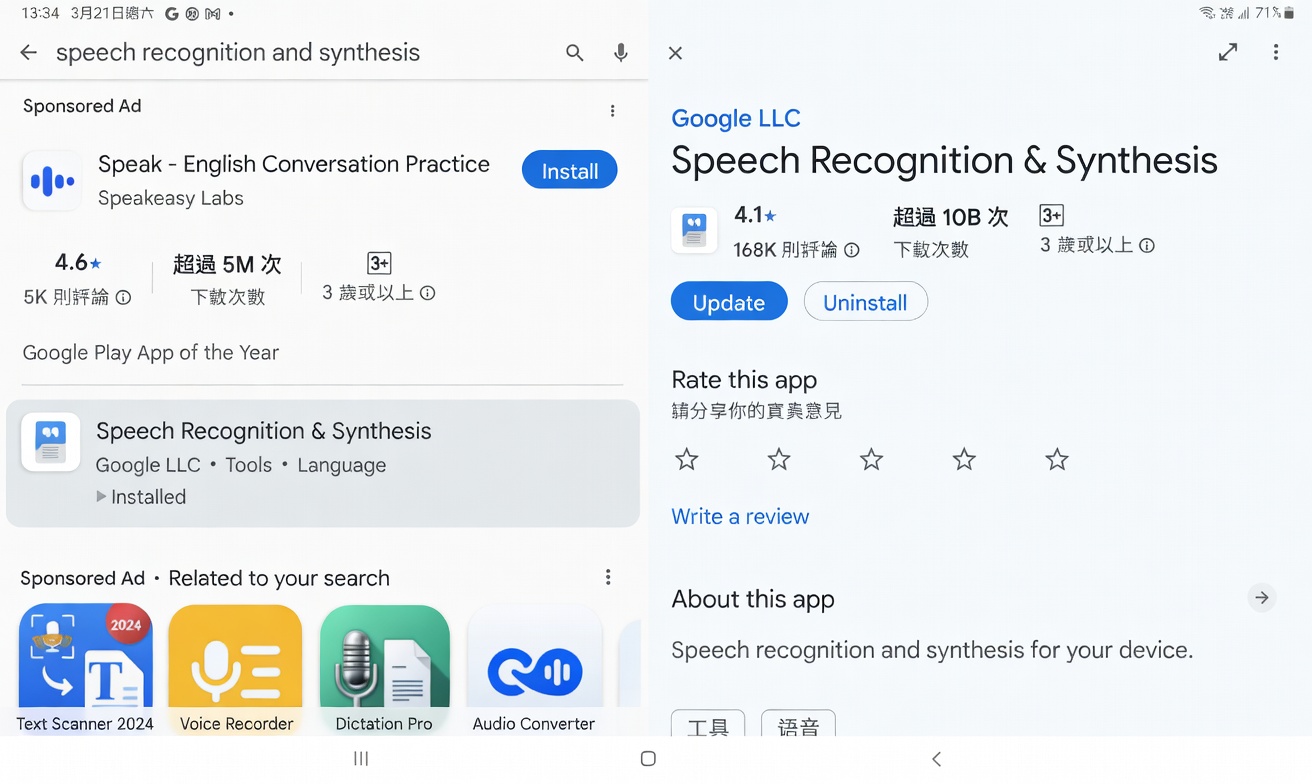
(1) Download and install “Speech Recognition and Synthesis” from the Google Play Store
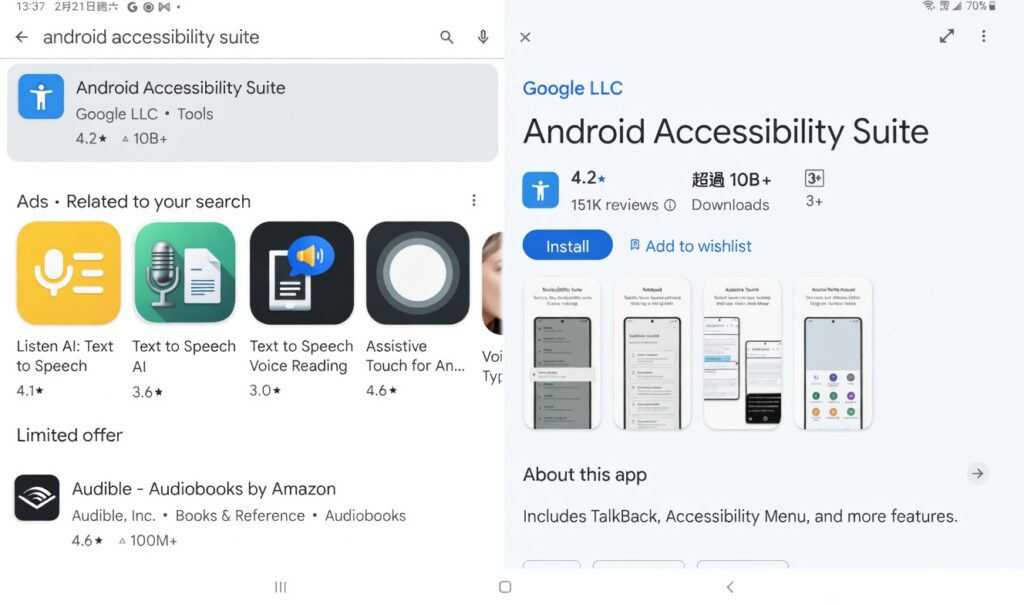
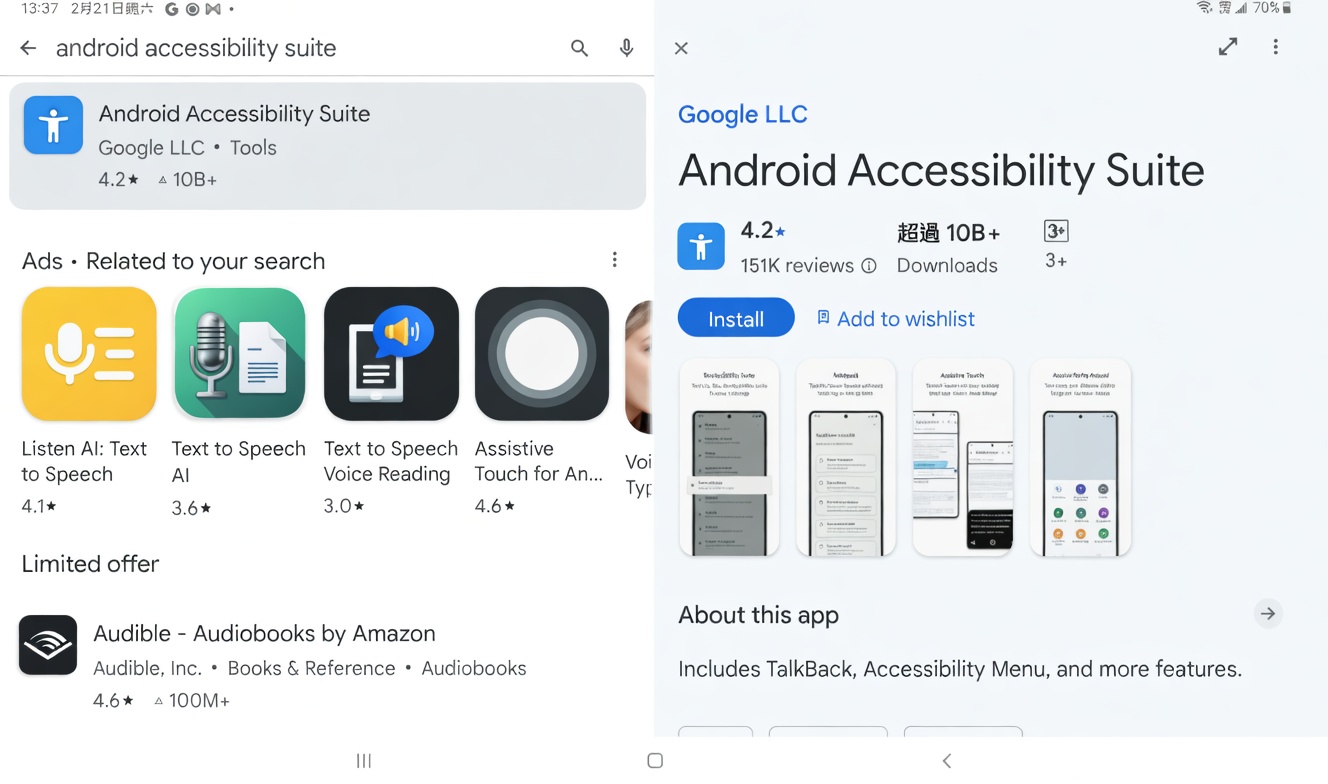
(2) Download and install “Android Accessibility Suite” from the Google Play Store
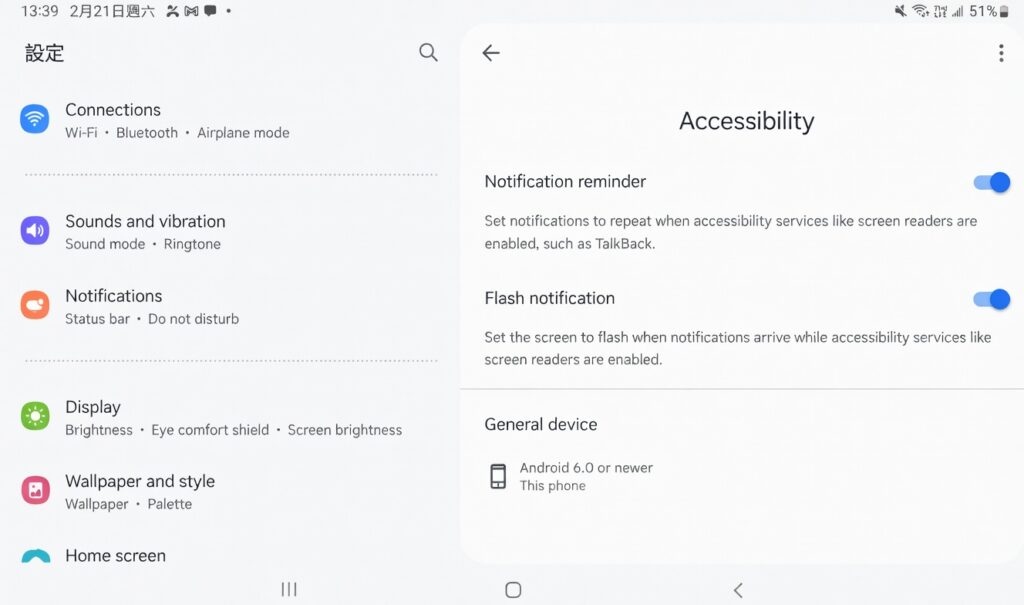
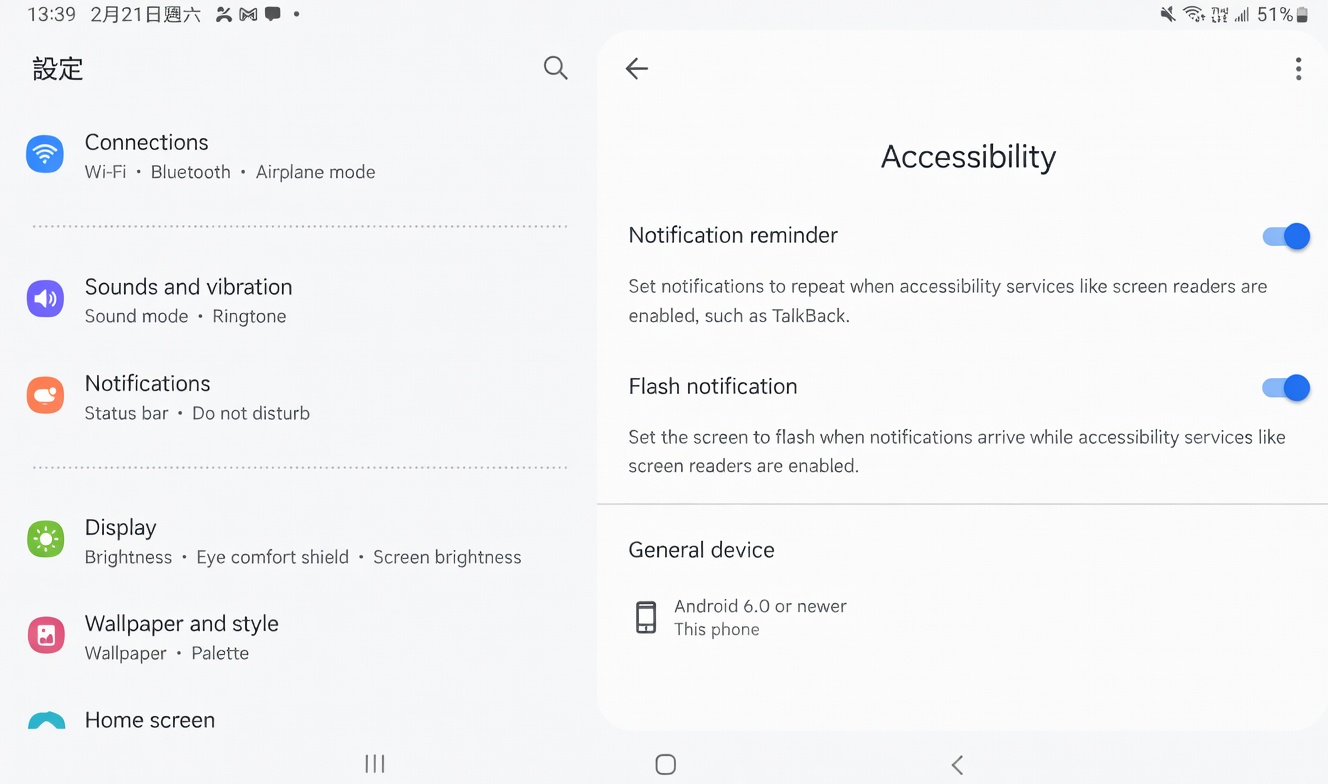
(3) Enable system permissions: Go to “Settings” > “Accessibility” and ensure “Notification readout” and “Wake-up notifications” are turned on.
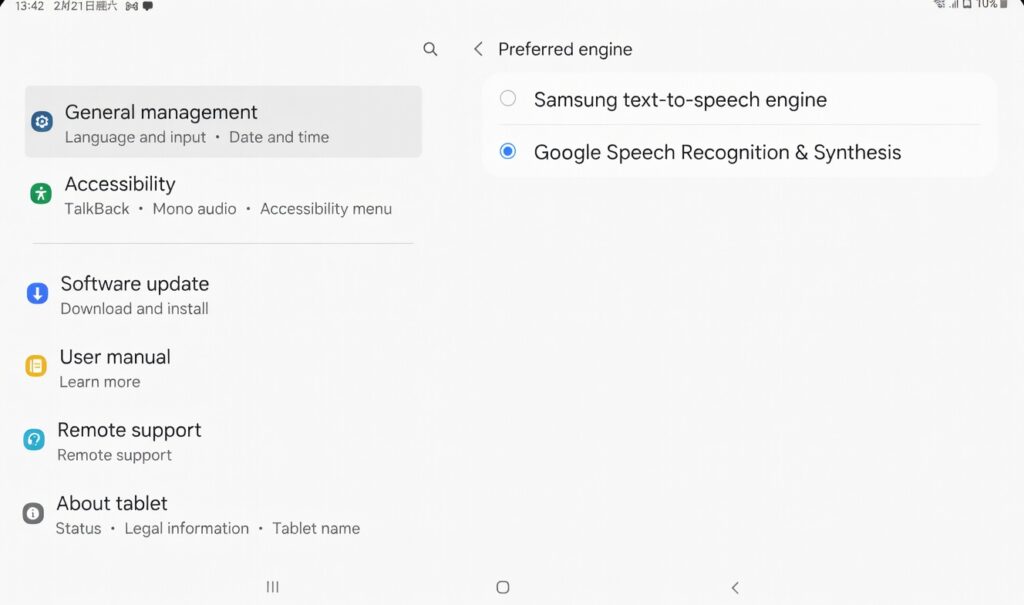
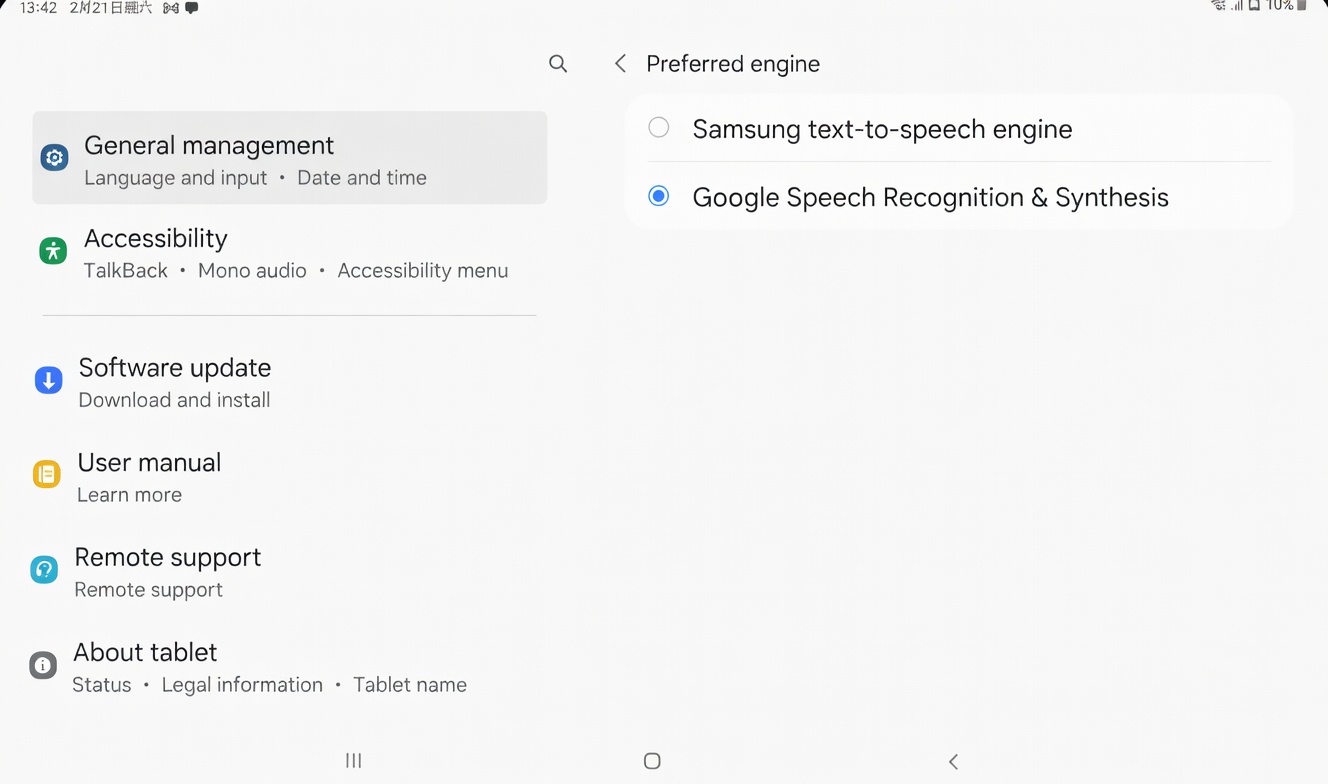
(4) Set preferred engine: Go to “Settings” > “General Management” > “Text-to-speech” > Select “Google Text-to-speech Engine”
Important
This app does NOT replace speech therapy. It was developed to guide patients and support caregivers through language exercises and is suggested to be used with the guidance of your speech therapist.
Special Thanks to Our App Production Volunteer Team
Volunteer Consultants: Professor LEE Yuet Sheung, Kathy, Professor Anthony KONG, HKU, Ms. KWAN Ching Yin, Connie, Mr. Eddie LEE, Mr. AU Chi Yeung Danny
Volunteer Content Creators: Ms. CHAN, Siu Wing Clemence, Ms. CHAN, Sze Man Mavis, Mr. HO Wai Chung, Ms. LEE, Wing Yin Rachel, Ms. YAU, Ho Lun Pipa
Volunteer UAT Contributors: Ms. CHAN, Vicki, Ms. CHU, Jasmine, Ms. FONG, Agnes, Professor FONG Raymond, Ms. FOO Heidi, Ms. KAN Pui Kei Peggy, Mr. LAI, Chin Pang, Ms. NG Ka Hei, Heidy, Mr. TAM, Clement, Mr. TAO, Gabriel, and Ms. TSE, Shirley
About the App
User-friendly and step-by-step training of modified evidence-based approaches.
DOWNLOAD FOR FREE!
AVAILABLE ON TABLET
Price
FREE for Standard Version;
HK$498/year for Premium Version
Target Audience
Patients of Mild to Moderate Aphasia
Target Users
Patients, Caregivers, Speech therapists, Healthcare workers
Includes Three Modified Evidence-Based Approaches:
Hierarchical Cueing Naming
- Standard Version:
48 Vocabulary, 4 Categories; - Premium Version:
130 Vocabulary, 14 Categories
Semantic Feature Analysis
Standard Version:
48 Vocabulary, 4 CategoriesPremium Version:
120 Vocabulary, 13 Categories
Verb Network Strengthening Treatment
Standard Version:
10 VerbsPremium Version:
30 Verbs
Apply for FREE premium version if you are:
Patient Discount
Holder of Comprehensive Social Security Assistance (CSSA) Scheme
Holder of Disability Allowance Holder of Old Age Living Allowance (OALA)
Resident of public housing
Student Discount
Student of speech and language pathology in any universities
Company Discount
Non-governmental organisations (NGOs)
Speech therapy clinics
UniversitiesHealthcare organisations targeting elderly
Important
This app does NOT replace speech therapy. It was developed to guide patients and support caregivers through language exercises and is suggested to be used with the guidance of your speech therapist.
Special Thanks to Our App Production Volunteer Team
Volunteer Consultants: Professor LEE Yuet Sheung, Kathy, Professor Anthony KONG, HKU, Ms. KWAN Ching Yin, Connie, Mr. Eddie LEE, Mr. AU Chi Yeung Danny
Volunteer Content Creators: Ms. CHAN, Siu Wing Clemence, Ms. CHAN, Sze Man Mavis, Mr. HO Wai Chung, Ms. LEE, Wing Yin Rachel, Ms. YAU, Ho Lun Pipa
Volunteer UAT Contributors: Ms. CHAN, Vicki, Ms. CHU, Jasmine, Ms. FONG, Agnes, Professor FONG Raymond, Ms. FOO Heidi, Ms. KAN Pui Kei Peggy, Mr. LAI, Chin Pang, Ms. NG Ka Hei, Heidy, Mr. TAM, Clement, Mr. TAO, Gabriel, and Ms. TSE, Shirley

Voice Over – How to Enable Text-to-Speech Function on Android Devices
If you are an Android user, and the voice overs in the tablet are not working, you may try the following steps :
(1) Download and install “Speech Recognition and Synthesis” from the Google Play Store
(2) Download and install “Android Accessibility Suite” from the Google Play Store
(3) Enable system permissions: Go to “Settings” > “Accessibility” and ensure “Notification readout” and “Wake-up notifications” are turned on.
(4) Set preferred engine: Go to “Settings” > “General Management” > “Text-to-speech” > Select “Google Text-to-speech Engine”